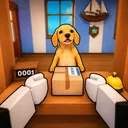
Mail Simulator Roblox Unlock Stands and Characters
Spend coins wisely on stands and playable characters that compound every island shift.

Coins from Mail Simulator shifts unlock the long game: stands that reshape your island post office layout and characters with movement, carry, or payout perks. MEROYst prices early unlocks cheaply so new players feel progress, then scales costs to match Earn Coins Fast veterans. This guide orders purchases for solo and co-op players, explains when cosmetics mislead you, and points to tier lists for meta shifts after patches.
Play through Getting Started and at least five full ship cycles before spending—baseline income informs every choice below.
Stands versus characters
Stands are permanent station upgrades—counter extensions, sort tables, dock carts, display kiosks. They usually affect spawn rate, payout percent, or interaction speed for every future shift.
Characters are playable avatars or skins with passive perks— faster walk, double carry slots, tip bonus, etc. Some are cosmetic-only; read perk text before buying.
Rule of thumb: first three purchases should be stands unless a starter character is free and clearly boosts dock runs.
Recommended unlock order (launch meta)
This order assumes July 2026 launch tuning—verify prices in-game after Updates:
- Customer throughput stand — more NPCs per minute feeds entire loop.
- Sort table expansion or label lamp — reduces mis-sort downtime (sort guide).
- Staging cart or dock helper — secures ship load bonuses.
- Movement perk character — runner/dock roles benefit most.
- Second throughput or tip stand — multiplies mid-game income.
- Cosmetic character variants — after functional roster stable.
Co-op squads can specialize: clerk buys counter stands, dock main buys ramp upgrades—pool coins verbally to avoid duplicate purchases.
How to evaluate a stand
Ask four questions before clicking buy:
- Which phase buffs? Counter, sort, or dock—fix your weakest phase first.
- Flat coin or percent? Percent scales late; flat helps day one.
- Footprint size? Tiny islands crowd with twenty players—avoid blocking paths.
- Co-op sharing? Some stands benefit whole server; others personal—know which.
Cross-check Tier List: Stands for community-tested rankings.
How to evaluate a character
- Read perk line carefully—“+5% tips” beats “looks like dog” for coins.
- Test carry animation speed on sort floor before committing premium currency.
- Match roles: counter characters with UI speed; runners with walk speed.
See Tier List: Characters for perk stacking notes.
Coin budgeting
Never zero wallet unless buying milestone stand:
- Keep 10–15% buffer for sudden price drops in events.
- Spend after good departure streak, not one lucky ship—avoids emotional buys.
- Track ROI: coins earned per hour before vs after unlock; revert strategy if flat.
No verified codes yet—budget assumes pure grind.
Common spending mistakes
- Buying three cosmetic characters before first stand
- Duplicating same stand tier co-op partners already placed
- Ignoring dock upgrades while over-investing in counter only—sort/load still choke
- Chasing limited skins resold later—function first
After core unlocks
Late progression goals:
- Complete stand collection for flex layout in private servers
- Collect characters for role rotation in Co-op Board
- Revisit tier lists each patch—MEROYst rebalance can demote former S-tier stands
Synergy with guides
| Unlock type | Read next |
|---|---|
| Sort stand | How to Sort Packages |
| Dock cart | How to Load the Ship |
| Tip character | Earn Coins Fast |
| Team stand | Co-op Roles |
Event and limited-time unlocks
MEROYst may rotate event stands or holiday characters with boosted perks for two-week windows. Treat these as temporary A-tier investments: buy if you play daily during the event, skip if you only log weekends—the payback window may close before the stand earns back its cost. After events end, check Updates for nerfs that drop formerly OP unlocks to B-tier in our tier lists.
Related pages
- Tier List Hub — stands and characters ranked
- Official Links — play and join MEROYst group for update news
Frequently Asked Questions
Quick answers about Mail Simulator sorting, ship loading, and co-op play.
Should I unlock stands or characters first in Mail Simulator?
Prioritize functional stands that raise throughput or payouts before cosmetic characters.
Do unlocked stands work in co-op for everyone?
Many sim stands affect the shared island instance, but confirm in-game—some upgrades may be owner-bound.
Can I refund a stand or character purchase?
Roblox experiences rarely offer refunds—test free previews if MEROYst provides them before spending.
Where do I see unlock prices?
Open the in-game shop or stand kiosk near your post office—prices update with patches listed on Updates hub.