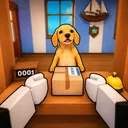
Mail Simulator Roblox Play with Friends
Invite up to five co-op partners into the same Dog Mail island shift—without losing each other in twenty-player servers.

Mail Simulator (Dog Mail) on Roblox supports up to five friends coordinating in one island post office shift while each server holds twenty players total. MEROYst built the experience for cozy co-op—serving customers, sorting packages, and loading the ship together—but Roblox matchmaking does not automatically put friends in the same instance. This guide covers invites, server joins, privacy options, and etiquette so your group lands in one place ready to work, then hands off to Co-op Roles for job assignments.
Start solo with Getting Started if anyone in the party is new; one prepared friend lifts the whole group.
Co-op limits you must know
Official game description and MEROYst tuning confirm:
| Limit | Value | Wiki implication |
|---|---|---|
| Friends in one coordinated shift | 5 | Assign roles on Co-op Board |
| Players per server | 20 | Expect strangers sharing the island |
| VIP private servers | Not enabled (Aug 2026) | Use Roblox join tricks below |
| Place ID | 80758549465719 | Verify before inviting |
Sixth friend cannot add official co-op bonus—they can still join your server as a flex helper or run parallel practice.
Step-by-step: invite friends on Roblox
Method 1 — Join from profile (most reliable)
- Friend launches Mail Simulator on Roblox first.
- Open Roblox Friends list while in-game.
- Click friend name → Join Game (must show green join icon).
- Others repeat until up to five are present.
Works best when the first player is already inside the island office, not stuck on loading screen.
Method 2 — Share direct game link
Send the official URL from Official Links:
https://www.roblox.com/games/80758549465719/Mail-Simulator
Friends click Play, then use Method 1 to join you, not a random server. Clicking Play alone often scatters groups across instances.
Method 3 — Roblox party (when available)
On supported clients, form a Roblox Party before launching, then queue into Mail Simulator together. Party UI changes—if party disbands, fall back to Method 1.
Method 4 — Same region servers
If Join Game is greyed out:
- Confirm both accounts allow Join Game privacy (Settings → Privacy).
- Friend may be in a full twenty-player server—have host rejoin fresh.
- Try closing and reopening Roblox app on mobile.
Before you queue: party checklist
- Everyone favorited the game for quick return.
- Everyone read Controls for their device.
- Host prints or opens Co-op Board with names assigned.
- Voice or text channel ready—short callouts beat long explanations.
- Agree language for roles: counter, sort, runner, dock, flex.
Run Shift Checklist once as a dry run.
Public servers vs friend stacks
Public twenty-player lobbies mix strangers. Pros: ambient help, faster fill. Cons: griefers at counter, sort table hogging, chat noise.
Friend-only coordination (five assigned roles ignoring strangers) is the meta for Earn Coins Fast grinds. Strangers become background—your squad runs the chain.
If strangers block the dock ramp, host rejoins new server via Leave → Friend Join loop.
Assign roles immediately
Do not spawn and sprint to the same counter. Pause ten seconds and confirm:
- Counter main — see Serve Customers
- Sorter — How to Sort Packages
- Runner — moves carts between rooms
- Dock captain — How to Load the Ship
- Flex — covers breaks and express saves
Full tactics: Co-op Roles.
Scaling down for duos and trios
| Party size | Simple split |
|---|---|
| 2 | Alternate counter/sort; partner owns dock timing |
| 3 | Counter, sort, dock+runner hybrid |
| 4 | Add dedicated runner |
| 5 | Full roster with flex |
Smaller groups still beat uncoordinated five-random stacks in public servers.
Cross-platform friends
Mail Simulator runs on PC, mobile, and console. Mixed parties work:
- Mobile on counter (tap targets).
- PC on sort (mouse precision).
- Console on dock (movement-heavy, fewer UI clicks).
Patch days may hit one platform harder—check Updates if controls feel off after August 2026 tuning.
What Mail Simulator co-op is not
- Not a separate private island per party—you share MEROYst’s public office mesh with up to fifteen other avatars.
- Not cross-place matchmaking with other mail Roblox games.
- Not boosted rewards for six coordinated friends—cap stays five for design.
- Not Mail Delivery Simulator—codes and servers from that game do not apply.
Troubleshooting join issues
| Problem | Fix |
|---|---|
| Join Game greyed | Privacy settings or friend not in-game yet |
| Different servers after Play | Host loads first; others join host |
| Friend on wrong place | Confirm URL place ID 80758549465719 |
| Laggy instance | Rejoin; pick host with stable connection |
| AFK kick mid-shift | Roblox idle timer—micro movements at safe zones |
After everyone arrives
- Host leads tutorial skip if veterans.
- Assign co-op board roles verbally.
- Run one practice departure before grinding coins.
- Rotate dock role hourly for fairness.
- Track payouts—if rate drops, audit weakest role not friend skill.
Codes and group perks with friends
No verified promo codes yet for Mail Simulator. Still join MEROYst group together so everyone sees shout drops instantly on redemption day—read How to Redeem Codes in advance.
Avoid scripts promising “auto invite” or “private server unlock”—ban risk hits whole friend groups.
Related pages
- Co-op Roles — job guide after everyone joins
- Serve Customers — counter flow with friends
- Official Links — trusted game URL
- Tools: Co-op Board — printable role sheet
- Updates — when co-op tuning changes
Frequently Asked Questions
Quick answers about Mail Simulator sorting, ship loading, and co-op play.
How many friends can play Mail Simulator together?
Up to five players can coordinate in one shift. Servers allow twenty players total, including strangers.
Does Mail Simulator have VIP private servers?
Not as of August 2026—use Roblox Join Game from a host friend to stack in the same instance.
Why did my friend join a different server?
They likely clicked Play instead of Join on your profile. Host loads first; others join the host.
Can mobile and PC players co-op?
Yes. Mixed devices work well when roles match device strengths—mobile counter, PC sort, console dock.